Taking notes during a lecture sounds simple until the teacher starts speaking faster than you can write. You try to listen, write important points, understand the topic, and remember everything at the same time. It becomes even harder when lectures are long or when you have several subjects to manage.
This is where AI note taking apps for students can make a real difference.
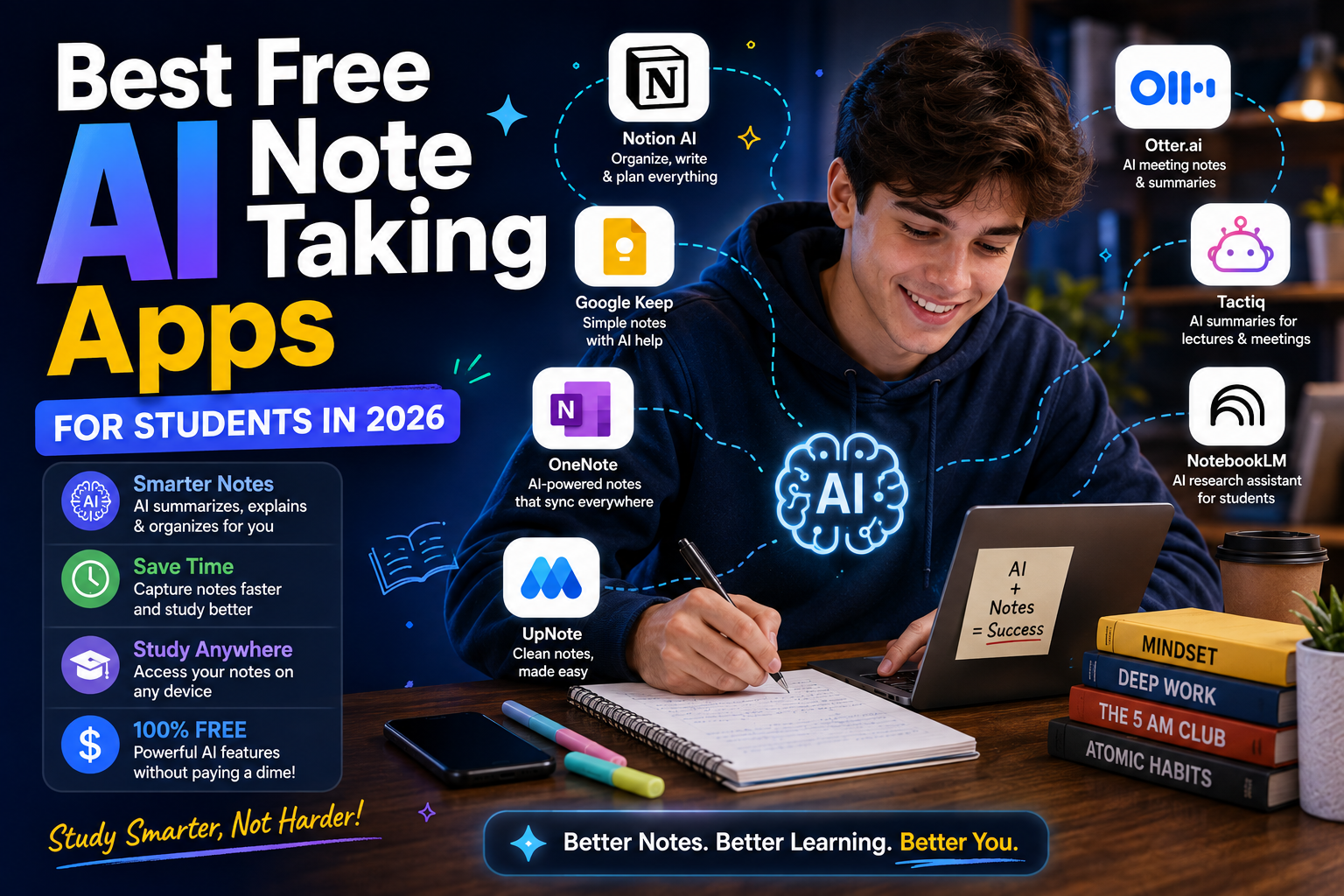
Modern AI tools can help students capture information, organize notes, summarize long material, create study questions, and turn ordinary class notes into useful revision material. In 2026, the best tools are moving beyond simple transcription. Many now help with the complete process: capturing information, processing it, and reviewing it before an exam.
However, choosing the right app can be confusing because there are dozens of options available. Some focus on lecture transcription, while others are better for PDFs, handwritten notes, organization, or exam preparation.
In this guide, we will look at some of the best free AI note taking apps for students in 2026, explain what each one is useful for, and show you how to build a simple AI-powered note-taking system.
What Is an AI Note Taking App?
An AI note taking app is software that uses artificial intelligence to help you create, organize, understand, or review notes. Traditional note-taking apps mainly give you a blank page. You type or write your information yourself.
AI-powered apps can do more. Depending on the application, an AI note-taking tool may be able to:
- Transcribe recorded lectures
- Summarize long documents
- Organize information
- Find important points
- Generate questions
- Create flashcards
- Explain difficult concepts
- Search through your notes
- Turn notes into study material
The exact features depend on the application and its current free plan.
Google NotebookLM – Best for Studying From Your Own Material
Google NotebookLM is one of the most interesting options for students because it focuses heavily on the material you provide. Instead of simply asking a general AI chatbot about a subject, you can work with your own sources. These might include lecture notes, PDFs, documents, or other supported study material.
That makes NotebookLM particularly useful when you are preparing for an exam based on a specific syllabus. For example, imagine you have five lecture PDFs for your biology course.
You can organize those materials in NotebookLM and ask questions about them. Instead of searching the internet for every question, you can use the uploaded course material as the foundation of your study session.
Current 2026 reviews continue to highlight NotebookLM as a strong free option for students because of its source-based approach and study features.
Why students may like NotebookLM
- Useful for PDFs and course material
- Helps summarize information
- Can answer questions about your sources
- Useful for revision
- Can help turn material into study resources
- Good option for students who already have organized course documents
The biggest advantage is that it can fit into an existing study workflow rather than requiring you to completely change how you collect information.
Microsoft OneNote – Best for Traditional Digital Notes
If you prefer writing your own notes instead of relying heavily on AI, Microsoft OneNote remains a useful choice. OneNote works more like a digital notebook. You can organize information into notebooks, sections, and pages. This makes it useful for students who want separate areas for different subjects.
For example:
Notebook: University
Section: Computer Science
Page: Data Structures
You can then create additional pages for algorithms, programming exercises, exam revision, and project notes. OneNote is especially useful if you already use Microsoft products for school or university. It also works well for students who prefer a combination of typed notes, images, diagrams, and handwritten material.
The important point is that an AI note-taking app does not necessarily have to generate everything automatically. A good digital notebook can still be valuable when it gives you a place to organize your own thinking.
Notion – Best for Organizing an Entire Semester
Notion is more than a simple note-taking application. Students can use it to organize notes, assignments, deadlines, projects, reading lists, and study plans in one workspace.
For example, you could create a dashboard with:
- Current subjects
- Assignment deadlines
- Exam dates
- Weekly tasks
- Study notes
- Revision progress
- Important resources
Notion is particularly useful for students who have problems keeping everything organized. Instead of having class notes in one application, assignments in another, and deadlines written on paper, you can create one central system. Some current 2026 comparisons still list Notion as a strong choice for students who want organization alongside note-taking.
Best use of Notion
Use Notion when your main problem is not simply “taking notes,” but managing everything around your studies.
If you need a complete student workspace, it can be much more useful than a basic notes app.
Otter.ai – Useful for Lecture Transcription
Sometimes the biggest problem is not understanding a lecture. It is keeping up with the speaker. This is where transcription-focused AI tools can help. Otter.ai is designed around converting spoken content into text. For students, that can be useful when lectures are recorded and the language is supported well enough for accurate transcription.
Instead of trying to write every sentence during a lecture, you can focus more on understanding the material and later review the transcript. students should always check their school’s rules before recording lectures. There can also be privacy considerations when recording teachers, classmates, or other people.
Otter can be useful for:
- Lecture transcription
- Searching spoken content
- Reviewing recorded material
- Creating written references from lectures
- Finding information that you missed while taking notes
AI transcription is not perfect, so important information should always be checked against the original lecture or course material.
Goodnotes – Great for Handwritten Notes
Not every student wants to type. Some students remember information better when they write by hand. This is especially common for mathematics, science, diagrams, formulas, and subjects where visual organization matters. Goodnotes is popular among students who use tablets and digital pens. Its strength is the combination of handwritten note-taking and digital organization.
In 2026, AI note-taking is increasingly being viewed as a complete workflow rather than simply transcription. Goodnotes describes this process in three stages: capturing information, processing it, and reviewing it.
That is an important idea.
The best note-taking system is not necessarily the one that creates the longest transcript. It is the one that helps you remember what you learned.
Obsidian – Best for Connected Notes
Obsidian takes a different approach to note-taking. Instead of simply storing notes in folders, it encourages you to connect related ideas. This can be useful for students working on research-heavy subjects.
For example, you might create notes about:
- Artificial intelligence
- Machine learning
- Neural networks
- Deep learning
- Computer vision
You can then connect related concepts. Over time, your notes become a network of information rather than a collection of isolated documents. Obsidian can be particularly interesting for university students working on long-term projects, dissertations, research, or technical subjects.
RemNote – Useful for Notes and Flashcards
Taking notes is only the first step. The real challenge begins when you need to remember the information. RemNote combines note-taking with flashcard-based learning, making it useful for students who want to connect their notes directly to revision.
This can be especially helpful for subjects involving large amounts of factual information. For example, medical students, language learners, and students preparing for theory-heavy exams may benefit from turning important concepts into questions that they can review repeatedly.
The idea is simple:
Learn → Create notes → Turn important information into questions → Review → Test yourself
That is much more effective than reading the same notes repeatedly.
Quizlet – Useful for Flashcard-Based Revision
Quizlet is widely known for digital flashcards and study sets. Although it is not primarily a traditional note-taking application, it can be a useful part of an AI-powered study system. You can take your lecture notes and turn important information into flashcards.
For example:
Question: What is photosynthesis?
Answer: The process through which plants convert light energy into chemical energy.
Instead of reading a page of notes, you now have something you can actively recall. This is important because good study habits are not only about collecting information. They are also about retrieving it from memory.
Google Keep – Best for Quick Notes
Not every note needs artificial intelligence. Sometimes you just need to quickly save an idea before you forget it. Google Keep is useful for short notes, reminders, lists, and quick information. A student might use it for:
- Assignment ideas
- Quick reminders
- Exam topics
- Questions to ask a teacher
- Book recommendations
- Important deadlines
It can work alongside a larger note-taking system. For example, you could capture a quick thought in Keep and later move the useful information into your main study notes.
This prevents small pieces of information from getting lost.
AI Chatbots – Useful for Turning Notes Into Study Material
General AI assistants can also play an important role in note-taking. You can take your own notes and ask an AI assistant to transform them into different study formats.
For example:
“Turn these notes into 20 flashcards.”
Or:
“Create 10 multiple-choice questions from these notes.”
Or:
“Explain the three most difficult concepts in these notes using simple examples.”
This is one of the easiest ways to add AI to your existing study routine.
The important thing is to start with your own material.
Instead of asking AI to create information from nothing, give it your notes and ask it to help you process what you already studied.
How to Choose the Best Free AI Note Taking App
There is no single application that is perfect for every student. Your choice should depend on how you study.
Choose NotebookLM if:
You regularly study from PDFs, lecture slides, documents, and other source material.
Choose OneNote if:
You want a traditional digital notebook with flexible organization.
Choose Notion if:
You want to manage notes, assignments, projects, and deadlines in one workspace.
Choose Otter.ai if:
Your biggest problem is capturing spoken lectures.
Choose Goodnotes if:
You prefer handwritten notes on a tablet.
Choose Obsidian if:
You enjoy connecting ideas and building a long-term knowledge base.
Choose RemNote if:
You want to combine notes with flashcards and revision.
How to Build a Simple AI Note-Taking System
You do not need ten applications. In fact, using too many tools can make studying more complicated. A simple system can have four stages.
Stage 1: Capture
During class, focus on understanding the lecture. Take short notes instead of trying to write every word.
Stage 2: Organize
After class, clean up your notes. Add headings, important terms, examples, and questions.
Stage 3: Process With AI
Use an AI tool to create:
- Summaries
- Flashcards
- Practice questions
- Explanations
- Revision checklists
Stage 4: Test Yourself
This is the most important step. Close your notes and answer questions from memory. If you cannot answer a question, go back and review that section. This turns note-taking into actual learning.
Should You Let AI Take All Your Notes?
Not necessarily. There is a big difference between automating repetitive work and outsourcing your thinking. If AI creates a perfect transcript of every lecture, you may end up with hundreds of pages that you never read.
A shorter set of notes that you personally understand can be much more valuable. Use AI to reduce unnecessary work, but keep yourself involved in the learning process.
Things to Check Before Using a Free AI Note-Taking App
“Free” does not always mean unlimited.
Some applications have free plans with restrictions on recording time, AI requests, storage, exports, or advanced features. Current 2026 comparisons specifically note that free-tier limits vary considerably between tools.
Before choosing an application for an entire semester, check:
- Free usage limits
- Storage limits
- Export options
- Supported devices
- Offline functionality
- Privacy policy
- Audio recording rules
- AI feature availability
- Account requirements
Features and pricing can change, so always check the current plan before relying on a specific feature.
Privacy Matters When Recording Lectures
This is one issue students should not ignore.
If an application records audio, you should understand what happens to that recording.
Before recording a classroom lecture, check your school’s policies and, where necessary, get permission from the lecturer or other participants.
Do not upload confidential academic documents or private information to an AI service without understanding how that information is handled. Convenience should never come at the cost of privacy.
FAQ’s
What is the best free AI note taking app for students?
NotebookLM is a strong option for students who want to study from their own PDFs, notes, and course material.
Can AI automatically take notes from lectures?
Yes, some AI tools can record and transcribe lectures, but accuracy can vary depending on audio quality and language.
Is NotebookLM free for students?
NotebookLM has offered a free option, but available features and limits can change over time.
Is AI note-taking better than handwritten notes?
Not always. AI is useful for capturing and organizing information, while handwriting can be better for students who learn through active writing.
Should students use AI for all their notes?
No. AI should support your learning rather than replace your understanding, thinking, and revision.
Conclusion
The best free AI note taking apps for students in 2026 are not necessarily the ones with the most artificial intelligence.n The best tool is the one that fits your study style. If you work heavily with PDFs and course material, NotebookLM is worth considering. If you want an organized digital notebook, OneNote or Notion may be a better fit. Students who prefer handwriting can look at Goodnotes, while those who want connected research notes may prefer Obsidian.
For lecture transcription, dedicated AI transcription tools can save time, while flashcard-focused applications can help turn notes into active revision. The most effective approach is to build a simple workflow instead of downloading every AI app you find. Capture the important information, organize it, use AI to process it, and then test yourself. That way, AI does not replace your learning. It makes your learning process more efficient.