Studying in 2026 looks very different from studying a few years ago. Students now have access to AI tools that can explain difficult topics, create practice questions, organize notes, and help them prepare for exams.
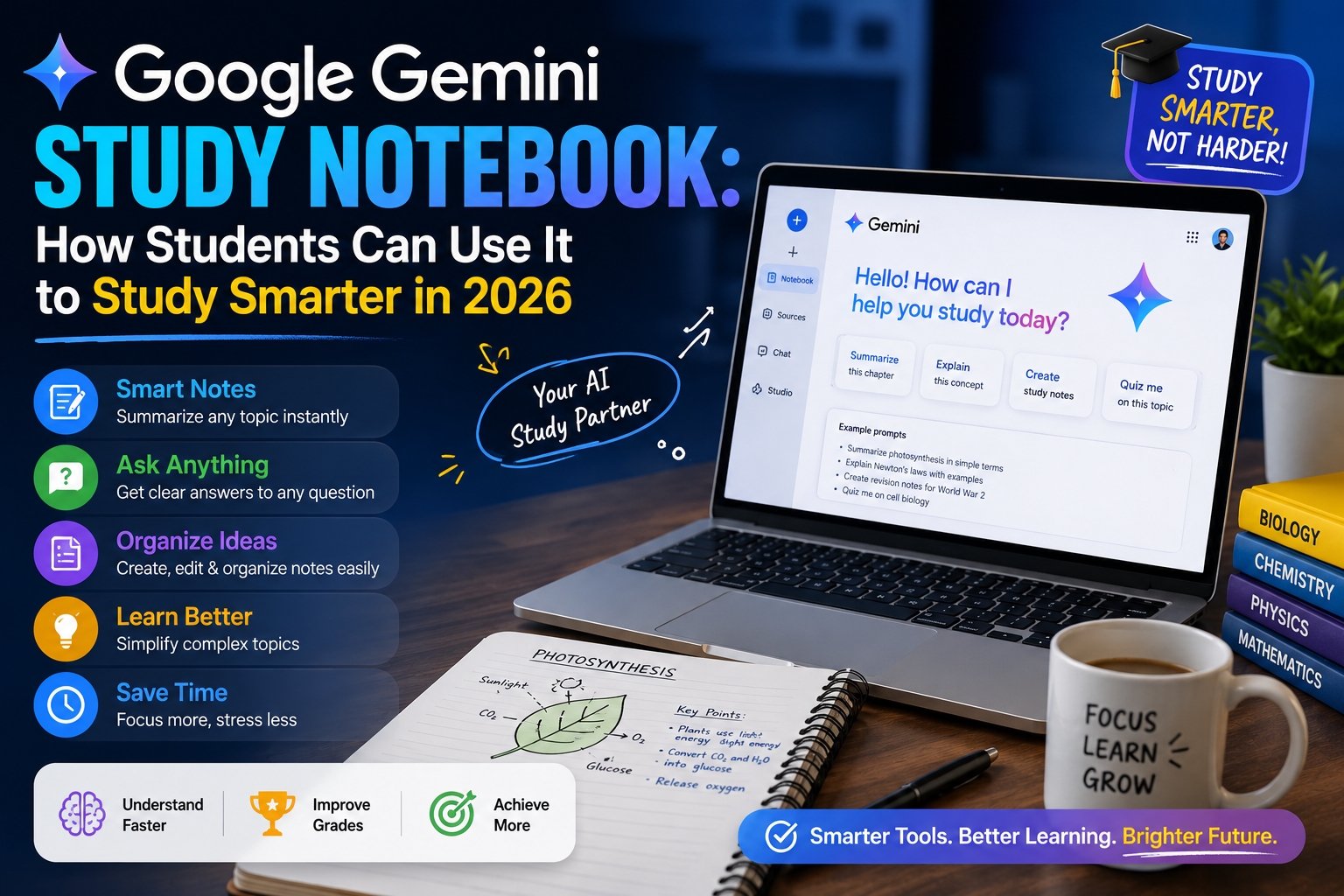
One of the more interesting developments is Google Gemini Study Notebook, a learning-focused feature designed to make Gemini more useful for students. Google announced Study Notebooks in June 2026 as a dedicated space where students can work toward a learning goal using personalized lessons, quizzes, and uploaded class material.
Instead of simply asking an AI chatbot a question and receiving a short answer, students can use this approach to create a more structured learning experience.
In this guide, we will explain what Gemini Study Notebook is, how it works, how students can use it for exams and assignments, and how to get better results from it without becoming dependent on AI.
What Is Google Gemini Study Notebook?
Google Gemini Study Notebook is a learning feature inside Gemini that is designed to provide a more personalized study experience.
According to Google, students can enter a learning goal or upload class material. Gemini can then use that information to create interactive learning experiences, including lessons and quizzes. The system can also adapt as students continue learning and provide additional practice based on their progress.
This makes the feature different from a normal AI chat.
A normal chatbot conversation might look like this:
“Explain photosynthesis.”
You receive an explanation, ask another question, and continue the conversation. With a study-focused notebook, the experience can be more structured around an actual learning objective.
For example:
Help me prepare for my biology exam on cell structure.
You can then work through the material, test your understanding, and use your study resources as part of the learning process.
Why Is Gemini Useful for Students?
Students often have plenty of information but not enough time to organize it.
A typical student might have:
- Lecture notes
- PDF textbooks
- Class presentations
- Previous exam questions
- Assignments
- Online resources
- Handwritten notes
- Multiple subjects to revise
The difficult part is often deciding what to study first.
Google’s newer AI learning features are designed to make studying more personalized. Google says Study Notebooks can use diagnostic quizzes and learning goals to help identify areas that need more attention, while lessons can adjust based on progress and newly uploaded material. That can be particularly useful when preparing for an exam.
How to Use Gemini Study Notebook
The exact interface and availability can change as Google continues rolling out its education features, but the basic workflow is straightforward.
Step 1: Choose a Specific Study Goal
Do not start with a vague request such as:
“Teach me science.”
Instead, choose a specific objective.
For example:
“I have a biology exam next week. I need to understand cell division, mitosis, meiosis, and chromosome behavior.”
A specific goal gives the AI much better context.
Step 2: Add Your Study Material
If you have class notes, lecture documents, or other relevant material, use them as part of your study workflow where supported.
This is important because your teacher may explain a topic differently from a generic textbook.
For example, your class might use specific terminology or focus on certain chapters.
When your AI study session is based on your actual course material, it can become more relevant to what you are expected to learn.
Step 3: Let Gemini Help Identify Weak Areas
One useful part of Google’s Study Notebook approach is assessment.
Google says Study Notebooks can use a diagnostic quiz to identify areas where a student should focus and then create bite-sized interactive lessons around the learning goal. This is a better approach than spending equal amounts of time on every topic.
Suppose you are preparing for a mathematics exam and understand algebra but struggle with probability. Your study time should reflect that difference. Instead of repeatedly reviewing what you already know, spend more time practicing the areas where you make mistakes.
Use Gemini to Create a Personalized Study Guide
One of the easiest ways to use Gemini AI for students is to create a study guide.
But do not simply ask:
“Make a study guide.”
Give the AI useful information.
For example:
“Create a 7-day study plan for my chemistry exam. I have two hours available each day. Focus more time on topics I find difficult and include short revision sessions.”
This gives the AI three important pieces of information:
- The subject
- The available time
- The learning objective
You can make the prompt even better by providing your syllabus or class material.
The result should then be treated as a starting point rather than a perfect schedule.
Gemini Can Help You Practice Instead of Just Reading
One of the biggest mistakes students make is passive studying.
Reading notes again and again can feel productive, but it does not always show whether you actually understand the material.
Active recall is often more useful.
Instead of asking:
“Summarize this chapter.”
Try:
“Create 15 questions based on this chapter. Do not show the answers immediately. Ask me one question at a time and explain my mistakes after I answer.”
Now you have turned AI into a practice partner.
This method can be useful for history, biology, computer science, business, mathematics, and many other subjects.
Use Gemini to Explain Difficult Topics
Sometimes a textbook explanation is simply too complicated.
You can ask Gemini to explain the same concept at different levels.
For example:
“Explain recursion like I am a beginner.”
Then:
“Now explain recursion at university level with a programming example.”
This can help you move from a simple understanding toward a deeper one. You can also ask for analogies.
For example:
“Explain the difference between RAM and storage using a real-life analogy.”
Good explanations often become easier to understand when connected to something familiar.
Use Gemini for Exam Preparation
AI can also help you prepare for exams by creating realistic practice activities.
For example, you could ask for:
- Multiple-choice questions
- Short-answer questions
- Definitions
- Flashcards
- Practice problems
- Mock tests
- Revision checklists
- Topic-by-topic quizzes
Google has also highlighted interactive learning, quizzes, flashcards, study guides, and other learning experiences across its education-focused AI tools.
The key is to make the questions challenging enough to test your understanding. If every question is extremely easy, you may feel prepared without actually being prepared.
Gemini Study Notebook vs Normal AI Chat
There is an important difference between using AI casually and using AI as a study system.
Normal AI Chat
You ask a question.
You receive an answer.
You ask another question.
The conversation continues.
Study-Focused AI
You define a learning goal.
You provide relevant material.
You identify weak areas.
You practice.
You receive feedback.
You revise.
The second approach is much closer to having a digital study assistant.
That does not mean AI replaces teachers or textbooks. It simply gives students another way to interact with their learning material.
Can Students Use Gemini in Google Classroom?
Google has also been expanding Gemini-related learning experiences in Google Classroom.
In an August 2026 update, Google announced that Gemini in Classroom would expand to K-12 and higher-education students of all ages who have access granted by their administrator. Students can use Gemini-related experiences to work with class materials and study.
Availability can depend on the type of Google account, school administration, region, age requirements, and rollout status.
So if a particular feature is not visible in your account, that does not necessarily mean the feature does not exist. It may simply not be available for your account yet.
Best Gemini Prompts for Students
The quality of your results depends heavily on how you ask the question.
Here are some useful prompts.
For Understanding
“Explain this topic in simple language first, then explain it at university level.”
For Revision
“Create a revision guide from these notes and highlight the five concepts I should understand first.”
For Testing
“Quiz me on this chapter one question at a time. Do not reveal the answer until I respond.”
For Weak Areas
“I keep making mistakes on this topic. Give me three examples and explain the reasoning behind each answer.”
For Exam Preparation
“Create a 7-day study plan based on these topics. Give more time to difficult subjects.”
For Active Recall
“Ask me questions from these notes without showing the answers. Correct my response after each question.”
For Flashcards
“Turn these notes into concise question-and-answer flashcards.”
The goal is to make Gemini interact with you rather than simply generate a large amount of text.
Don’t Let AI Do All Your Homework
There is an important difference between using AI to learn and using AI to avoid learning. If you have an assignment, it can be tempting to ask:
“Write the entire assignment for me.”
You may finish quickly, but you lose the opportunity to understand the topic. A better approach is to use AI for brainstorming, explanations, feedback, and practice while doing the core thinking yourself.
For example, if you need to write an essay, you could ask Gemini to help you understand the topic and identify possible arguments. Then write your own draft. Afterward, you can ask for feedback:
“Review my argument and identify areas that are unclear. Do not rewrite the entire essay.”
That keeps you involved in the learning process.
Always Check AI-Generated Information
AI can make mistakes. Even when an answer sounds confident, it may contain an incorrect fact, outdated information, or an inaccurate explanation. This matters particularly for academic work.
Before using important information in an assignment, research paper, or presentation, verify it using reliable sources such as:
- Your textbook
- Teacher-provided material
- University resources
- Official websites
- Academic papers
- Trusted reference sources
AI should make research easier, not remove the need to verify information.
Is Gemini Study Notebook Free?
Google’s availability and feature access can change over time, and different features may be available under different account types. Google announced Study Notebooks for personal accounts and described additional availability for school-issued accounts as the rollout continued.
Because AI products frequently change their plans, limits, and eligibility, students should check the current Gemini and Google Classroom experience available through their own account rather than relying on an old article or outdated screenshot.
Conclusion
Google Gemini Study Notebook is an interesting development for students because it moves AI beyond simple question-and-answer conversations and toward a more structured learning experience.
The biggest advantage is not that AI can give students answers faster.
The real advantage is that it can help students practice, review, identify weak areas, and interact with their study material.
For the best results, start with a clear learning goal, add relevant study material, ask specific questions, practice with quizzes, and verify important information.
Most importantly, use Gemini as a learning assistant rather than a replacement for your own thinking.
Students who learn how to ask better questions, test their knowledge, and use AI responsibly can get much more value from these tools than students who simply copy and paste AI-generated answers.